A high-quality mousepad is often overlooked, yet it plays a major role in comfort, precision, and productivity. Whether you are working long office hours, editing graphics, or competing in intense gaming sessions, the right mousepad can improve mouse accuracy, reduce wrist strain, and create a smoother overall experience. Today’s market offers countless options, from compact office mousepads to oversized RGB gaming surfaces, making it important to understand what truly matters before buying one.
Choosing the perfect mousepad depends on several factors, including surface material, size, thickness, durability, and your personal usage style. A gamer may prioritize speed and precision, while an office worker may focus more on ergonomics and comfort. Understanding these differences will help you make a smart investment that supports both performance and long-term usability.
Why a Good Mousepad Matters
Many people assume that any flat surface will work fine with a computer mouse. While modern optical mice can function on most desks, a dedicated mousepad provides several important advantages that directly impact performance and comfort. A properly designed mousepad ensures consistent tracking, smoother movement, and better control during daily tasks or gaming sessions.
For office users, a quality mousepad helps reduce friction between the mouse and desk surface. This allows smoother cursor movement, especially during extended work hours. Professionals who spend time on spreadsheets, graphic design, coding, or video editing benefit from improved precision and less hand fatigue. Some ergonomic mousepad designs even include wrist support to minimize strain and promote healthier posture during long sessions at the computer.
Gamers, on the other hand, require maximum accuracy and responsiveness. In competitive games, even small tracking inconsistencies can affect reaction time and aiming precision. A gaming mousepad is specifically engineered to provide optimized glide and stopping power. Fast-paced FPS gamers usually prefer smooth surfaces for quick movements, while strategy or MMO players may favor more controlled textures. In both cases, the right mousepad improves consistency and overall gaming performance.
Another major benefit of using a mousepad is protecting both the mouse sensor and desk surface. Dust, scratches, and uneven desk textures can affect sensor performance over time. A dedicated mousepad creates a clean, stable surface that enhances durability for both the mouse and workspace. Additionally, modern mousepads come in stylish designs that improve desk aesthetics and help create a more organized setup.
A premium mousepad also contributes to better hygiene and maintenance. High-quality materials resist wear, moisture, and dirt accumulation more effectively than bare desks. Many modern cloth mousepads are washable, making them easy to maintain over time. Investing in the right mousepad therefore improves not only performance but also comfort, workspace appearance, and equipment longevity.
Understanding Mousepad Materials and Surface Types
One of the most important factors when selecting a mousepad is the surface material. Different materials provide different levels of speed, control, comfort, and durability. Understanding these differences will help you choose a mousepad that matches your work habits or gaming style.
Cloth mousepads are the most popular option for both office users and gamers. They offer a soft texture, excellent comfort, and balanced mouse control. Cloth surfaces typically provide more stopping power, which is useful for precise aiming in games or detailed office work. These mousepads are also affordable and available in many sizes and designs. However, cloth mousepads may collect dust and moisture over time, requiring occasional cleaning to maintain performance.
Hard surface mousepads are made from materials such as plastic, aluminum, or tempered glass. These mousepads provide very fast glide and low friction, making them popular among gamers who prefer quick movements. Hard mousepads are easy to clean and highly durable, but they can feel less comfortable during extended use. Some users also find hard surfaces noisier because the mouse creates more sound while moving.
Hybrid mousepads combine features from both cloth and hard surfaces. They aim to deliver balanced speed and control while improving durability. Hybrid options have become increasingly popular among professional gamers and advanced users who want versatility across different tasks and gaming genres.
Texture also plays a critical role in mousepad performance. Smooth surfaces allow faster mouse movement and are ideal for rapid gaming actions. Textured surfaces offer greater control and precision, making them suitable for detailed design work or tactical gameplay. The best choice depends entirely on your personal preference and intended use.
Thickness is another important consideration. Thin mousepads are lightweight and portable, while thicker mousepads provide extra cushioning and comfort. Many gamers prefer medium-thickness pads because they help compensate for uneven desk surfaces. Office workers who spend long hours at their desks may also appreciate additional padding for wrist comfort.
Water resistance and stitched edges are additional premium features worth considering. Water-resistant coatings protect the mousepad from spills and sweat, increasing durability. Stitched edges prevent fraying and help maintain the mousepad’s shape over time. These small details can significantly extend the lifespan of your mousepad and improve overall user experience.
Choosing the Right Mousepad Size for Your Setup
Size is another essential factor when selecting the perfect mousepad. The ideal size depends on your desk space, mouse sensitivity settings, work requirements, and gaming preferences. Mousepads are available in multiple formats, ranging from compact office pads to massive extended desk mats that cover an entire workstation.
Small mousepads are suitable for basic office tasks and limited desk spaces. They are portable, affordable, and work well for users who operate their mouse at higher sensitivity settings. However, small mousepads can restrict movement during gaming or creative tasks that require larger hand motions. Users who frequently lift and reposition their mouse may find smaller pads less convenient.
Medium-sized mousepads offer a balanced solution for most users. They provide enough space for comfortable movement while maintaining a compact footprint. Medium mousepads are ideal for general office work, casual gaming, and home setups where desk space is limited but flexibility is still important.
Large and extended mousepads have become extremely popular in modern gaming and professional setups. These oversized mousepads can accommodate both the keyboard and mouse, creating a unified desk surface. Extended mousepads not only improve aesthetics but also provide consistent surface texture across the entire workspace. Gamers who use low sensitivity settings especially benefit from the additional movement space, as it allows larger and more precise mouse motions without running out of room.
When selecting size, it is also important to consider your mouse DPI and sensitivity settings. High-sensitivity users generally require less movement space, while low-sensitivity users need larger mousepads for wide arm movements. Competitive FPS gamers often prefer extra-large mousepads because they rely heavily on arm aiming techniques for precision.
Desk dimensions should also influence your decision. A mousepad that is too large may overcrowd the workspace, while one that is too small may limit performance. Measuring your available desk area before purchasing helps ensure a proper fit. Cable management, keyboard placement, and monitor positioning should all work harmoniously with the chosen mousepad size.
Portability is another factor for students and professionals who travel frequently. Compact mousepads are easier to carry in backpacks or laptop cases, whereas extended desk mats are more suitable for permanent setups. Ultimately, the best mousepad size balances comfort, functionality, aesthetics, and available desk space.
Read Also: Why fast browser games expose weak phone setup
Features to Look for in a Gaming and Work Mousepad
Modern mousepad designs include numerous advanced features that improve usability, comfort, and performance. Understanding these features can help you select a product that matches your specific needs and budget.
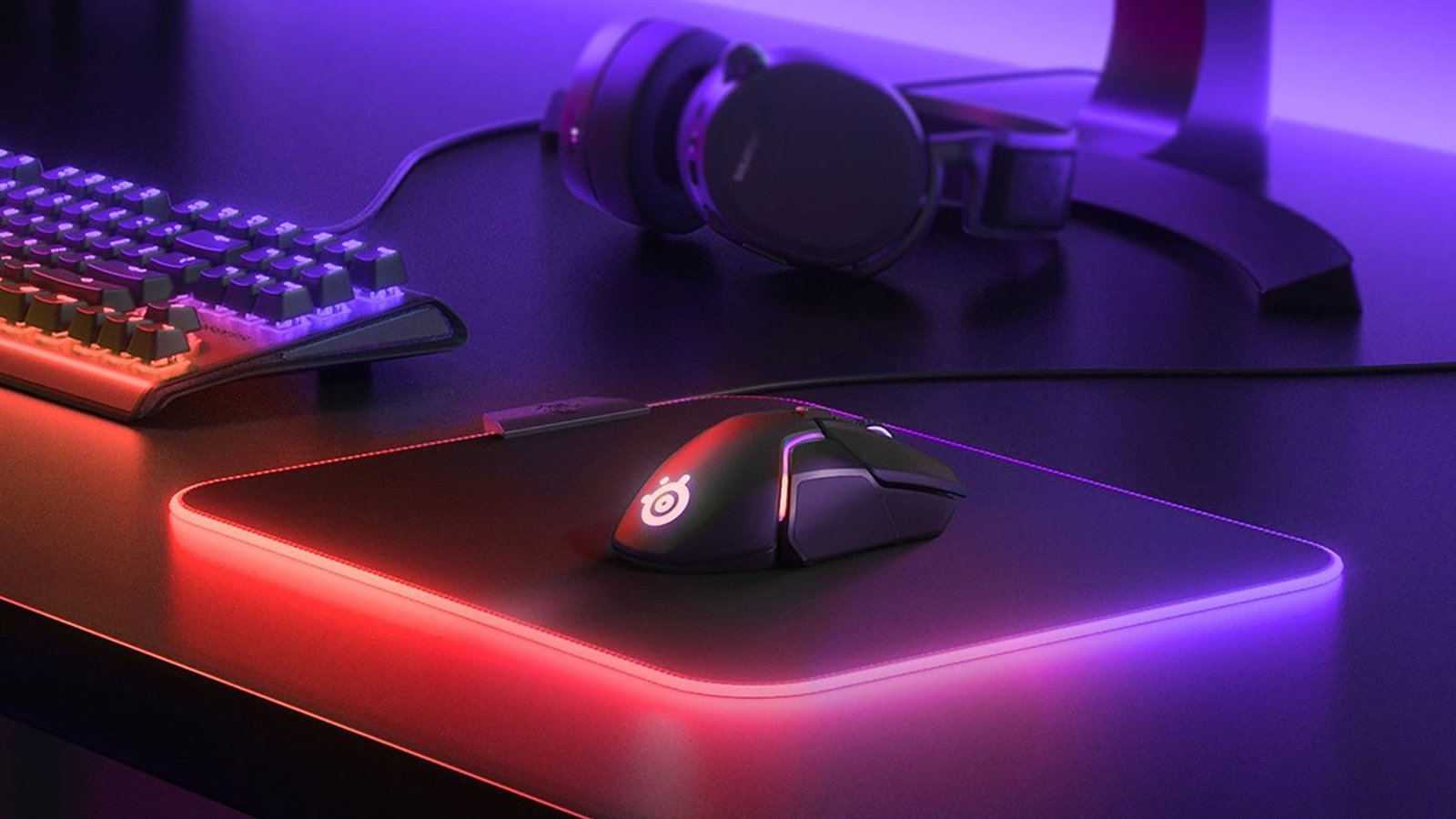
One popular feature is RGB lighting. RGB mousepads include customizable LED lighting around the edges, creating an immersive gaming atmosphere. While RGB does not directly improve performance, many gamers enjoy the visual appeal and synchronization with other peripherals. Office users may prefer simpler, minimalist designs without lighting for a cleaner workspace appearance.
Ergonomic wrist support is another valuable feature, especially for professionals who spend long hours using a computer. Gel or memory foam wrist rests help reduce strain and encourage healthier hand positioning. These ergonomic mousepads can improve comfort during extended work sessions and help minimize repetitive stress issues.
Non-slip rubber bases are essential for stability. A mousepad that slides around the desk can negatively impact both productivity and gaming performance. High-quality rubber bases ensure the mousepad remains securely in place even during intense movements.
Durability should also be a top priority. Cheap mousepads may lose shape, develop frayed edges, or wear unevenly after a few months. Premium mousepads with stitched edges and high-density materials typically last much longer. Investing slightly more in a durable mousepad often provides better long-term value.
Waterproof coatings are especially useful for people who keep drinks near their workstation. Accidental spills can damage ordinary cloth mousepads, but water-resistant models offer additional protection and easier cleaning. Some gaming mousepads also feature anti-sweat surfaces that remain comfortable during long sessions.
Aesthetics matter as well. Many users choose a mousepad that complements their overall desk setup. Today’s mousepads come in countless colors, patterns, and custom designs, allowing users to personalize their workspace. Minimalist black mousepads remain popular for professional environments, while gamers often prefer bold graphics or RGB-enhanced styles.
Finally, compatibility with your mouse sensor is crucial. Most modern optical and laser mice work well on quality mousepads, but certain surfaces may perform better depending on sensor technology. Reading manufacturer recommendations and user reviews can help ensure optimal compatibility before making a purchase.
Frequently Asked Questions
What is the best mousepad material for gaming?
Cloth mousepads are generally considered the best option for gaming because they provide a balanced combination of speed, control, and comfort. However, some gamers prefer hard surfaces for faster glide and quicker movements.
Do expensive mousepads make a difference?
Yes, premium mousepads often offer better durability, improved tracking accuracy, stitched edges, and more comfortable materials. A high-quality mousepad can significantly enhance both gaming and work performance over time.
How often should I clean my mousepad?
It is recommended to clean your mousepad every few weeks, especially if used daily. Regular cleaning removes dust, sweat, and dirt that can affect mouse tracking and overall hygiene.
Is a large mousepad better?
A larger mousepad provides more movement space and is ideal for gaming or multitasking setups. However, the best size depends on your desk space and personal preferences.
Can a mousepad improve productivity?
Yes, a quality mousepad improves cursor control, reduces friction, and enhances comfort, all of which contribute to smoother workflow and better productivity.
Conclusion
Choosing the perfect mousepad involves more than simply picking a design that looks attractive. The right mousepad improves comfort, precision, durability, and overall user experience for both work and gaming. Factors such as material, texture, size, thickness, and ergonomic features all play important roles in determining the ideal option for your setup.
Gamers should focus on tracking performance, glide speed, and surface consistency, while office users may prioritize comfort and wrist support. Extended desk mats are excellent for immersive setups, whereas compact mousepads work well for portability and limited desk space. Investing in a high-quality mousepad can enhance productivity, improve gaming accuracy, and protect your equipment over the long term.
By understanding your personal needs and comparing the available features carefully, you can confidently choose a mousepad that perfectly complements your workspace and daily activities.